Client Settings
Learn about the basic client settings.
User Account
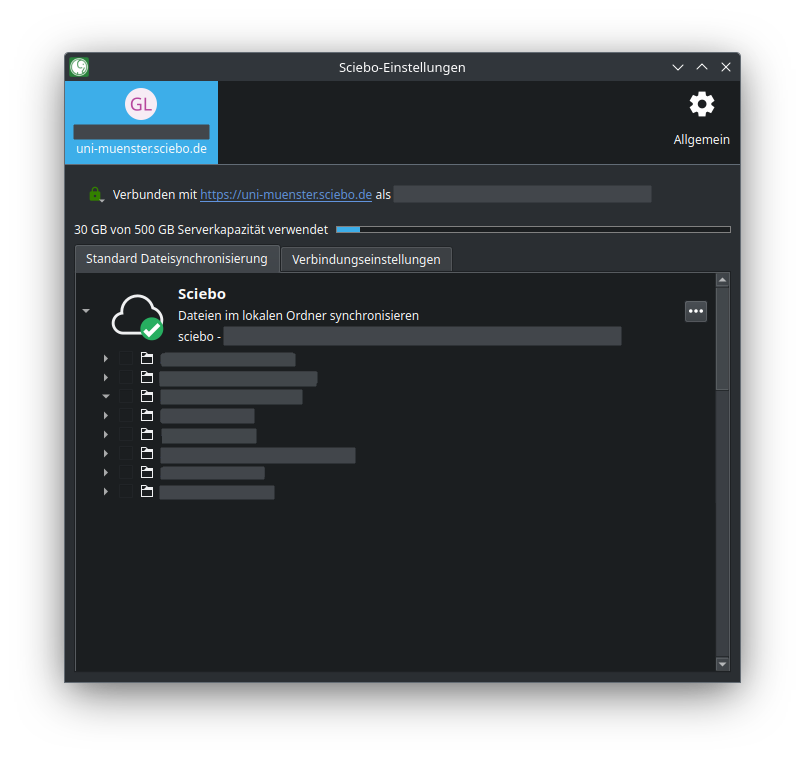
Under the tab with your sciebo ID, you will get an overview of
- the storage space is available to you in sciebo and the share you already use,
- all folder synchronisations (if you synchronise your entire sciebo folder with a single destination folder, you will only see a single folder synchronisation),
- for each folder synchronisation, all folders and subfolders that are synchronised on your PC. You can make synchronisation settings here.
Settings
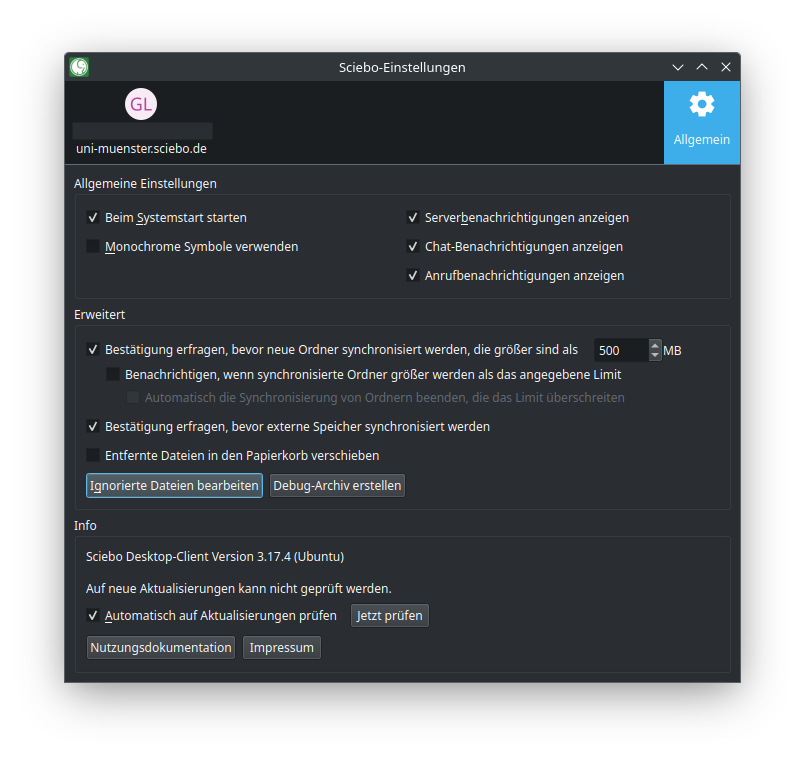
Under the “General” tab, the version of the sciebo client you are using is displayed. You can also specify.
- whether the sciebo client should be started when you switch on your PC,
- whether you want to receive desktop notifications,
- whether the synchronisation of large folders has to be confirmed and if so, from which size limit,
- whether synchronisation of external storage needs to be confirmed,
- whether sciebo client should check if there are updates available.