Create, rename, and move
In the sciebo app, you can create new folders as well as rename and move files and folders.
Creating Files & Folders
- Select the folder in which you want to create the new folder.
- Tap the “+” button at the bottom right. It opens the context menu.
- Tap the menu “New folder” entry.
- Name the folder.
- Tap on “Create”. A new folder is created.
Renaming Files & Folders
- Tap on tree dots next to the file or folder you want to rename. It opens the context menu.
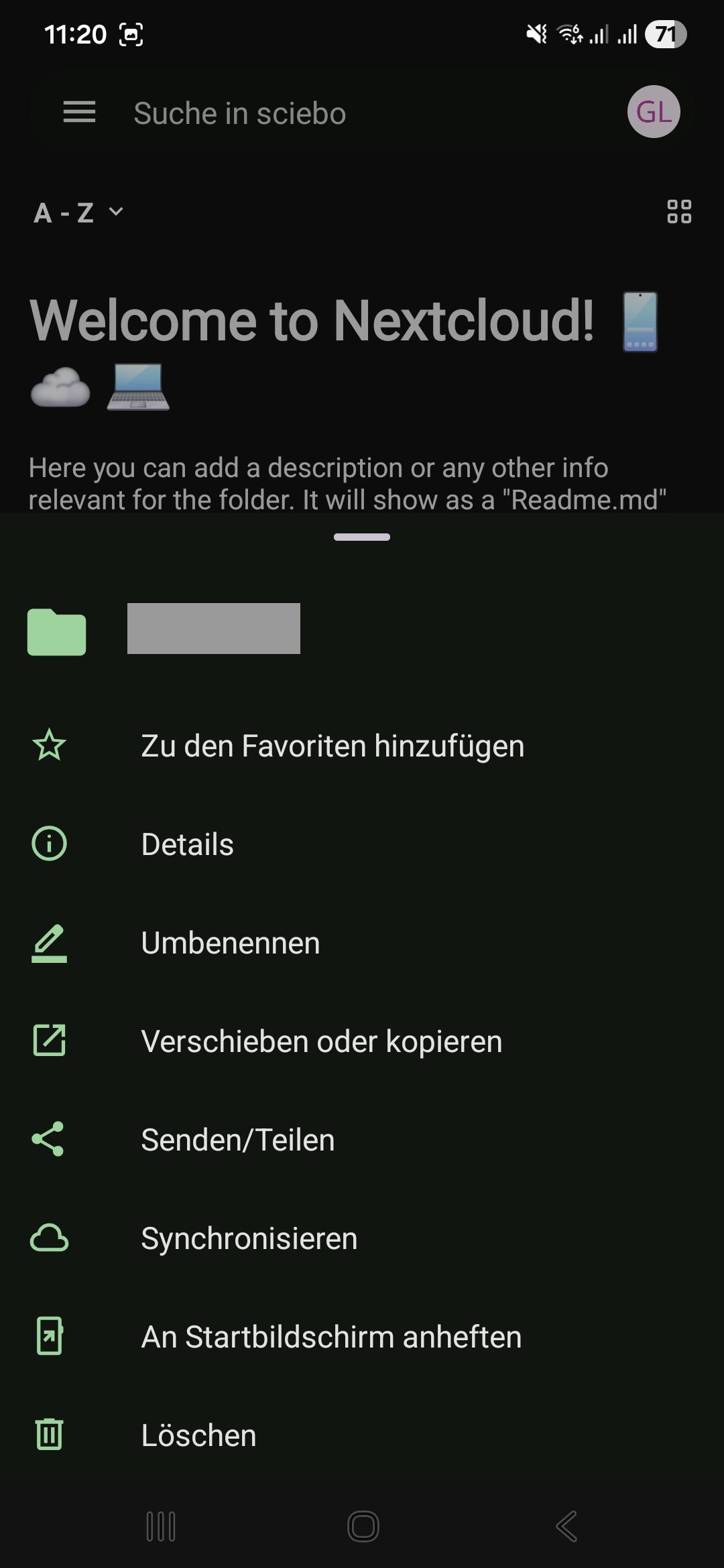
- Select “Rename”.
- Enter a new name.
- Tap “Rename”.
Moving Files & Folders
- Tap on tree dots next to the file or folder you want to move. It opens the context menu.
- Select “Move or copy”. This takes you to the top folder level.
- Select the folder to which you want to move the file or folder.
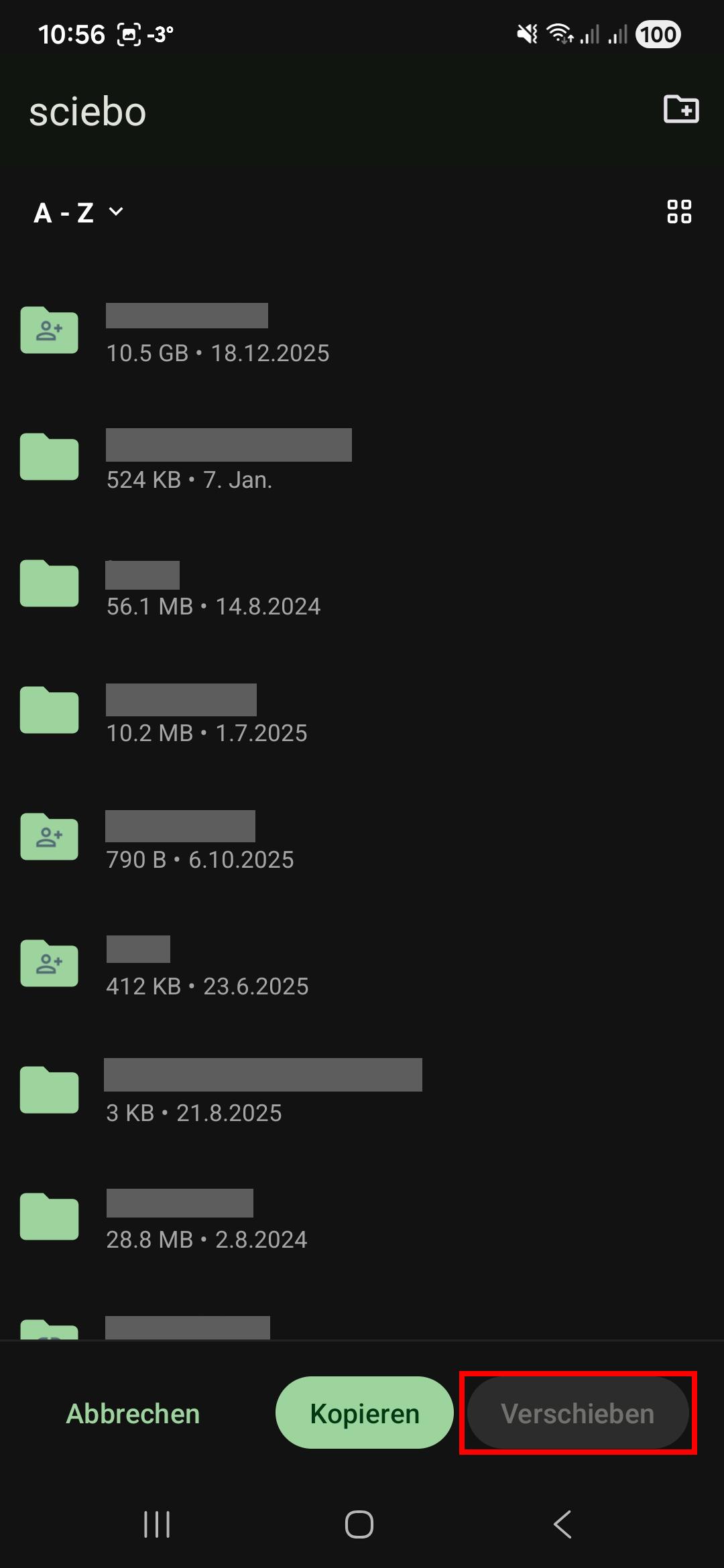
- Tap “Move” in the bottom menu bar to move the file or folder.