Create sciebo-Account
To register an account, please follow these instructions:
- Click on the homepage of sciebo on “Registration”.

- On the next page you will find a dropdown menu. Select your institution from there and click on “Select”.
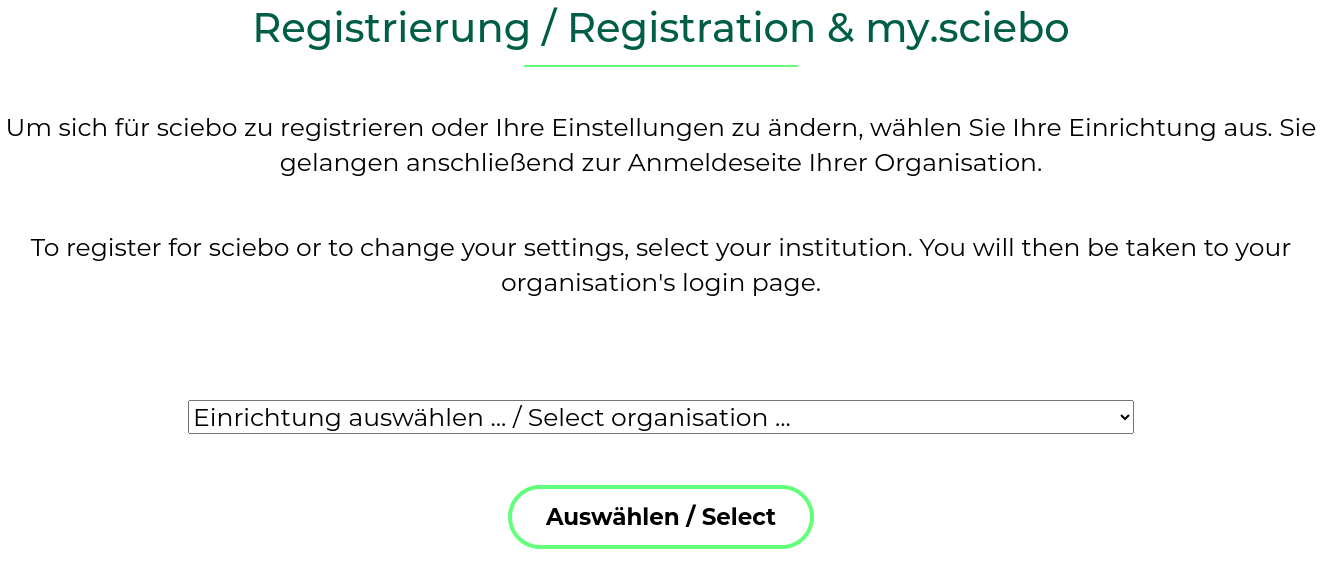
-
You will be redirected to the Shibboleth login page of your institution. Please enter your username and password that you use for your academic services there. Check the option “Die zu übermittelnden Informationen anzeigen, damit ich die Weitergabe gegebenenfalls ablehnen kann” so that you can review the forwarded information again, and click on “Login”.
-
If all information is correct, confirm the registration by clicking on “Yes, I accept”. (If the information does not match, please contact your local IT support at your institution.)
-
Next, you will be taken to the registration page, where you are asked to set a password for your sciebo account. Within 15 minutes after setting the password, your sciebo account should be active and you should be able to log in to the Sciebo server of your institution.
Notice:
- Please note that service accounts are excluded from registering for a sciebo account.
- If you are a member of multiple universities, please use the login details of your main institution when registering.
- If data is to be shared with you, it is necessary that you activate your account through a first-time login at the web interface. It usually takes a day until you can be found via the search in the address book 1, as the address books are only synchronized between the instances once a day.
- Please be sure to check whether you can receive messages at the registered email address. The system will send you notifications this way if your registration needs to be renewed or if data shared with you might no longer be available in the foreseeable future. This can happen if the sharer’s account or a project box expires.
-
Since Nextcloud version 31, searching the address book for shared folders with other institutions is no longer possible. We hope the manufacturer will improve this in the foreseeable future. ↩︎